This is another project i made that uses an ollama ai model dolphin-phi to make the prompt split into frames. And then it passes those frame prompts into an image gen this time an SDXL from huggingface and then uses ffmpeg to fuse the frames into a video it will also safe the frames into the folder.
You need ollama downloaded and i will use dolphin-phi model from ollama so it will use that model to generate the prompt for each frame.
I ran this project on an slightly upgraded setup. From my 4gb vram 3050 laptop rtx i switched to an rx 9060 xt 16gb of vram so this project won't work in an low end gpu.
ollama pull dolphin-phiIt uses python diffusers and pytorch so you will have to download that with your own gpu support i use rocm drivers because i have an amd gpu on Ubuntu so i don't think it will work on windows and i wont fix it for windows. You will have to do that yourself.
You can select in the script how many different frames you want and the speed of the playback of the frames.
Disclamer I ran this project fully on an amd gpu with ROCm drivers so you will have to tune it if you wanna run it with a cuda gpu. You will also have to download the huggingface SDXL model for it to run arounf 17gb Image generator model
You will need to have the venv active.
git clone https://github.com/ermwhatesigma/AIImageGen
cd AIImageGen
#Ubuntu "sudo apt install ffmpeg" You will need this to transform all the frames into one mp4 video
pip install -r requirements.txt
python AIVideoGen.py
Then you select the prompt you want. If you want you can also change the ollama model
OUTPUT
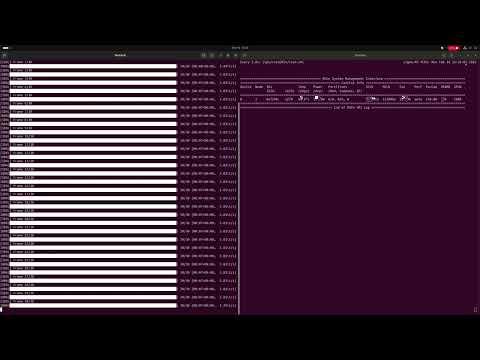
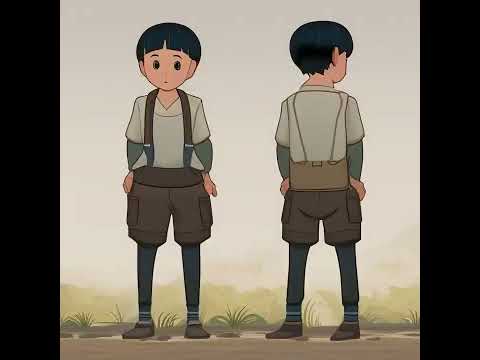
You can see that the video and output is not the best. The ai model does not remember the other frames so it will not remember what it already did generate.
So it is like a random frame generator so you can compare the different frames. So yeah you can't call it a video generator.