Qoder CLI is now Available

title: Qoder CLI is now Available
desc: Bringing Qoder’s AI Power to Every Terminal.
url: qoder-cli
img: https://img.alicdn.com/imgextra/i4/O1CN01DUAbqd1LQFDMr4OPy_!!6000000001293-0-tps-1536-1024.jpg
category: Product
time: October 15, 2025 · 3min read
In the world of software development, tool evolution has never been just about incremental improvement—it‘s always been about paradigm shifts in productivity. From the early days of command lines, to graphical IDEs, and now to AI-driven smart environments, developers have consistently pursued one goal: transforming ideas into reality with greater efficiency, naturalness, and intelligence.
Today, we’re excited to announce another milestone: Qoder CLI is now available!
Why Do We Need a CLI?
Over the past decade, IDEs have rapidly evolved to become the developer’s command center: rich graphical interfaces, robust debuggers, and vibrant plugin ecosystems have dramatically boosted deep development productivity. IDEs are almost synonymous with modern AI coding—the battleground for smart code completion, generation, and context-aware refactoring.
Yet, in real-world workflows, developers soon discover IDEs alone can’t cover every scenario:
- Rapid Validation and Prototyping:
Writing a quick script, running a test, or calling an API is often faster with the CLI than opening an IDE. - Automation & Batch Tasks:
CI/CD, data processing, scaffolding—these tasks naturally belong in the command-line ecosystem. - Remote & Cloud Collaboration:
Many production environments, pipelines, and DevOps platforms rely primarily on the CLI as their interface.
Developers enjoy immersive coding experiences in their IDE, but also need to handle quick actions, automation, and complex DevOps tasks efficiently from the terminal. Industry reports (such as Stack Overflow’s Developer Survey) indicate developers spend up to 30% of their time on repetitive tasks that could be automated via CLI tools.
This is why Qoder CLI comes: to deliver a more efficient and enjoyable development experience. We believe future productivity will be enabled by both IDE and CLI—rich context and features in the IDE, and speed plus automation in the CLI, seamlessly powered by AI.
Qoder CLI Design Concept
Qoder CLI is designed as a lightweight, AI-native command-line tool, allowing developers to execute intelligent coding tasks right in the terminal. It brings powerful code generation and comprehension, workflow automation, and smart interactions with codebase, toolchain, cloud service—via natural language—directly to your most familiar interface, be it local or remote.
Qoder CLI is a standalone tool that works seamlessly with Qoder IDE. Whether you're an existing Qoder user extending your workflow or a new user starting from the terminal, Qoder CLI offers the full power of AI-assisted coding.
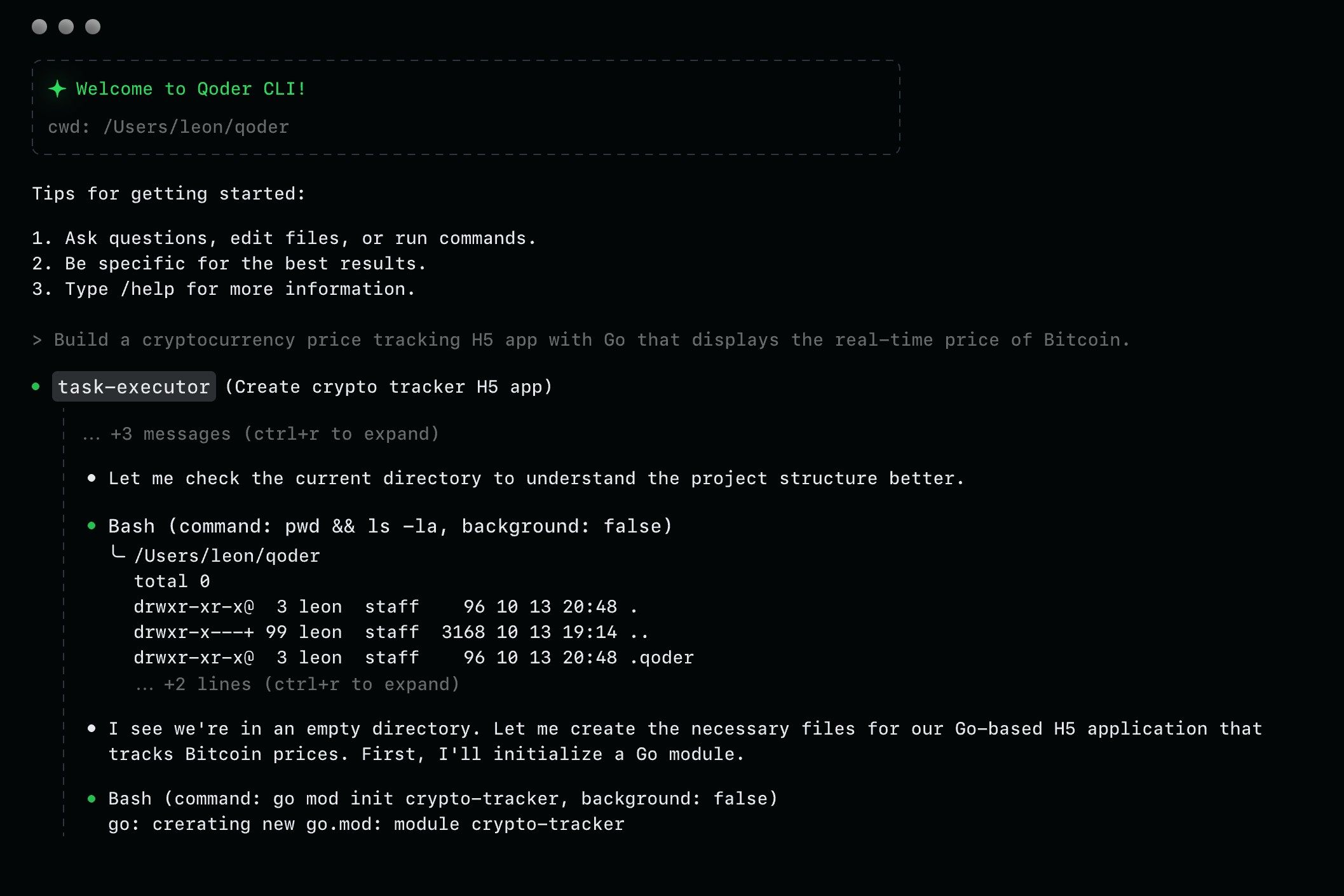
Qoder CLI embodies the philosophy of “Making Agents Universally Accessible”, expanding AI-assisted development to the command-line domain. It enables developers to:
- Generate code or debug using natural language prompts,
- Refactor existing code,
- Query project implementation details,
- And automate repetitive tasks such as unit test completion, conflict resolution, release note generation, and more.
Qoder CLI is designed for two main user groups:
- Developers using multiple IDEs:
Fans of Xcode, JetBrains, Zed, Vim, Emacs, etc.—Qoder CLI acts as the bridge between lightweight CLI interaction and heavyweight IDE usage, deeply integrating via MCP. - Developers with a terminal-centric workflow:
DevOps engineers, automation enthusiasts, or those working in remote/resource-constrained environments can seamlessly plug Qoder Agent’s power into existing workflows via CLI automation.
Core Features of Qoder CLI
Qoder CLI stands on three key pillars: lightweight design, extensibility, and seamless integration.
- Lightweight & Extensible Architecture
Qoder CLI features a highly efficient, minimal-resource agent framework, launching with virtually zero overhead and running with low memory footprint on anything from a laptop to a cloud sandbox. Expansion is simple:- Custom Commands: Create your own specialized instructions, blending via workflow.
- Custom Sub-agents: Define and spin up sub-agents for well-scoped, independent tasks, allowing the main agent to delegate and save context space.
Internal benchmarks show Qoder CLI uses 70% less idle memory than similar tools, with response times for common commands under 200ms. These gains are due to asynchronous processing and smart caching. For teams prioritizing scalability, Qoder CLI supports growth from simple scripts to complex multi-agent systems.
- A Polished Developer Experience
Qoder CLI breaks the stereotype that the command line is intimidating:- Zero-config startup: Use immediately after install—no tedious initialization.
- Terminal-native Interactions: Concise input and precise context-awareness deliver intelligent assistance, allowing developers to express programming intent naturally, achieve complex project with high efficiency, and enjoy a consistent, smart coding experience in any environment.
- Built-in Quest & CodeReview Modes:
The acclaimed Quest Mode from Qoder IDE is now available in CLI, bringing Spec-driven task delegation and code review capabilities without leaving the terminal. Scan for key project changes and get AI-powered review suggestions efficiently. - Built-in Quest & CodeReview Modes:
- Quest Mode in CLI: Delegate spec-driven development tasks through natural language. Perfect for implementing features quickly without opening your IDE—just provide a spec, and Qoder CLI handles the implementation.
Example: `qoder quest --spec "Add user authentication with JWT"`
CodeReview Mode: Get AI-powered code review with structured feedback directly in your terminal—scan recent changes, identify potential issues, and receive actionable suggestions.
Example: `qoder review --files src/**/*.ts`
Both modes deliver the same intelligent assistance from Qoder IDE, optimized for terminal-first workflows.
| Capability | Use Case | Example Command |
|---|---|---|
| Code Generation | Quick prototyping | qodercli "create REST API for user management" |
| Code Understanding | Explore unfamiliar codebases | qodercli "explain the authentication flow in src/auth" |
| Refactoring | Modernize legacy code | qodercli "refactor UserService to async/await" |
| Testing | Auto-generate unit tests | qodercli "add tests for UserService" |
| Code Review | Get AI feedback before commit | qodercli review --staged |
| Quest Mode | Spec-driven development | qodercli quest --spec feature.md |
| CI/CD Automation | Integrate into pipelines | qodercli headless --task "update changelog" |
These features elevate Qoder CLI from a cold set of commands to a proactive, conversational AI assistant.
Unlike standalone CLI tools, Qoder CLI is deeply integrated with Qoder IDE, sharing the same account system, cloud quotas, and configuration. Plus, Qoder CLI serves not only users but machines: in “headless mode”, all functionalities are available for CI/CD pipelines or other automations, letting you take terminal-ready commands straight to your automated workflows.
Headless Mode for CI/CD Integration: Integrate Qoder CLI into your automated workflows to scale AI assistance across your entire development lifecycle:
- Auto-generate release notes from commit history
- Run AI code reviews in pull request checks
- Fix linting and formatting issues automatically
- Generate and update API documentation on merge
- Resolve merge conflicts intelligently
Example GitHub Actions workflow:
- name: AI Code Review
run: |
qoder headless --task "review PR changes and comment on potential issues"
This enables teams to apply AI assistance systematically, not just for individual developers.
Visit our website now to experience Qoder CLI!