Added IP address and subnet mask#46
Added IP address and subnet mask#46degeens wants to merge 5 commits intoColinWaddell:masterfrom degeens:network-IPaddress
Conversation


|
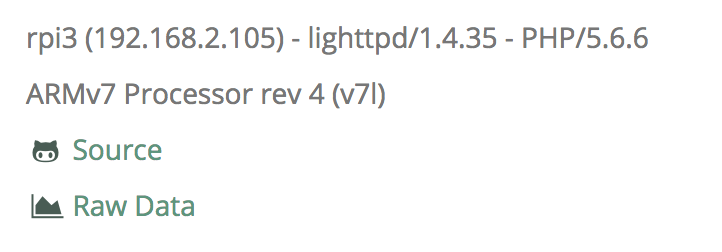
Hey @degeens - cheers for the update Got a couple of thoughts before merging this request and would love your input. First is that I've already got the IP address in the footer, this is grabbed by using the
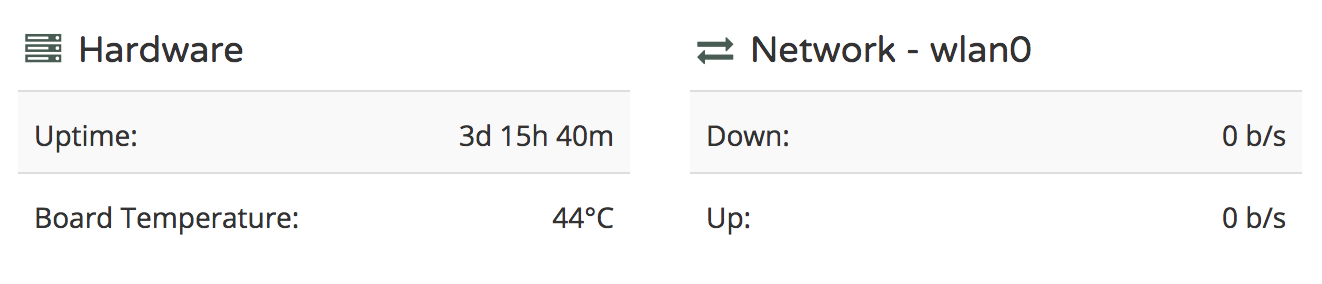
However if you're wanting to get the subnet-mask in there then perhaps this information would be better suited to the network area. I was tempted to stick the info from your NetworkData in the footer but I feel like that's cross-contaminating slightly (NetworkData is creating data which is being used in FooterView). I like your implementation though and having that info in the network section makes sense. However this is where I get pernickety. I quite like that when the network section is alongside the Hardware section they have the same number of elements so the sit nice together:
So perhaps there's a nice way to either add an extra element to the Hardware section so they align, or the network section gets rejigged so that the Up and Down are on the same line with the IP information underneath. What do you think? Cheers again for your input! |

|
Hi @ColinWaddell, Thank you for your fast reply. I understand the need to keep the number of elements the same on both sides. So I started looking for something which would be nice to have in the hardware section. I've found out that it's possible to retrieve the Raspberry Pi model name, for example "Raspberry Pi 3 model B". But on the other hand, this is static information, which maybe, doesn't belong there and would be better to have somewhere in the footer. Another possibility is indeed, to put the up and down rate on one row in two columns, which is very easy to implement. I'm willing to implement both solutions. What do you think? |
|
Give the latter a go, sticking them both on the same line. All the
layout/css is done with bootstrap so should be easy enough, just need to be
careful with the choice of column width so there's no overflow at, say,
999kb/s.
Looking forward to seeing your efforts!
…On 3 Jan 2018 2:48 p.m., "Stijn Geens" ***@***.***> wrote:
Hi @ColinWaddell <https://github.com/colinwaddell>,
Thank you for your fast reply.
I understand the need to keep the number of elements the same on both
sides.
So I started looking for something which would be nice to have in the
hardware section. I've found out <https://elinux.org/RPi_HardwareHistory>
that it's possible to retrieve the Raspberry Pi model name, for example
"Raspberry Pi 3 model B". But on the other hand, this is static
information, which maybe, doesn't belong there and would be better to have
somewhere in the footer.
Another possibility is indeed, to put the up and down rate on one row in
two columns, which is very easy to implement.
I'm willing to implement both solutions.
What do you think?
—
You are receiving this because you were mentioned.
Reply to this email directly, view it on GitHub
<#46 (comment)>,
or mute the thread
<https://github.com/notifications/unsubscribe-auth/ABw0BZ1dL7z4jEcPgbMU3Hh60b1KUibsks5tG5NAgaJpZM4RRumc>
.
|
|
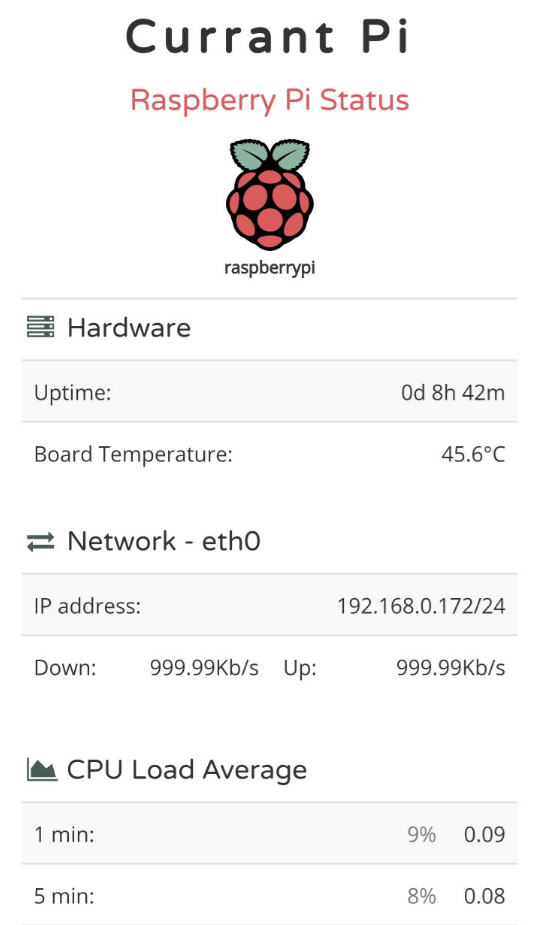
This is how it looks now on my mobile:
I've hardcoded 999.99Kb/s to take this screenshot. As you can see, there is place enough for 999Kb/s. What do you think? Since I'm not a front-end expert, feel free to make improvements. |

|
Cheers @degeens Sorry for not looking at this pull-request sooner. I've been afk all weekend. I'll get my teeth into it this week though and will give you feedback asap. |
|
Have you had the time to look at this pull request? |
2 participants


I've added the (local) IP address and subnet mask to the network part.
I hope you like it.